


I’ve been using Luma AI for months, but let’s be honest—the pricing is getting out of hand.
Plus, the free plan barely gives you enough credits to test properly. Sound familiar?
I spent the last 3 weeks testing 10 free luma alternatives. I created over 50 videos across different platforms while reviewing modern AI software on AI Outreach Tool.
Here’s what I found: you don’t need to pay for Luma AI to create stunning AI videos.
Some of these alternatives actually work better for specific use cases. Let me show you which ones.
Quick Comparison: Free Luma AI Alternatives at a Glance
| Tool | Rating | Free Plan | Best For | Video Quality | Watermark |
|---|---|---|---|---|---|
| Fliki | ⭐4.75 | ✅ 5 min/mo | Text-to-video | 1080p | Yes |
| InVideo | ⭐4.70 | ✅ 10 min/wk | Marketing | 1080p | Yes |
| Runway | ⭐4.65 | ✅ 125 credits | Creative AI | 4K | No |
| Veed | ⭐4.60 | ✅ 10 min/mo | Quick edits | 720p | Yes |
| Basedlabs | ⭐4.50 | ✅ Limited | Artistic | 1080p | Yes |
| Vizard | ⭐4.45 | ✅ 300 min | Social clips | 1080p | Yes |
| Kling | ⭐4.40 | ✅ Basic | Fast render | 1080p | Yes |
| Assistive | ⭐4.35 | ✅ Limited | Beginners | 720p | Yes |
| Pika Labs | ⭐4.30 | ✅ Limited | 3D videos | 1080p | No |
| Canva | ⭐4.25 | ✅ Unlimited | All-in-one | 1080p | No |
Jump to: Comparison Table | Selection Guide | FAQ
Top 10 Luma AI Alternatives
1. Fliki – Best Text-to-Video Converter ⭐4.75
Fliki turns your blog posts into videos in minutes. No joke.
I converted a 500-word article into a 2-minute video in under 10 minutes. The AI voices sound surprisingly natural—way better than basic text-to-speech.
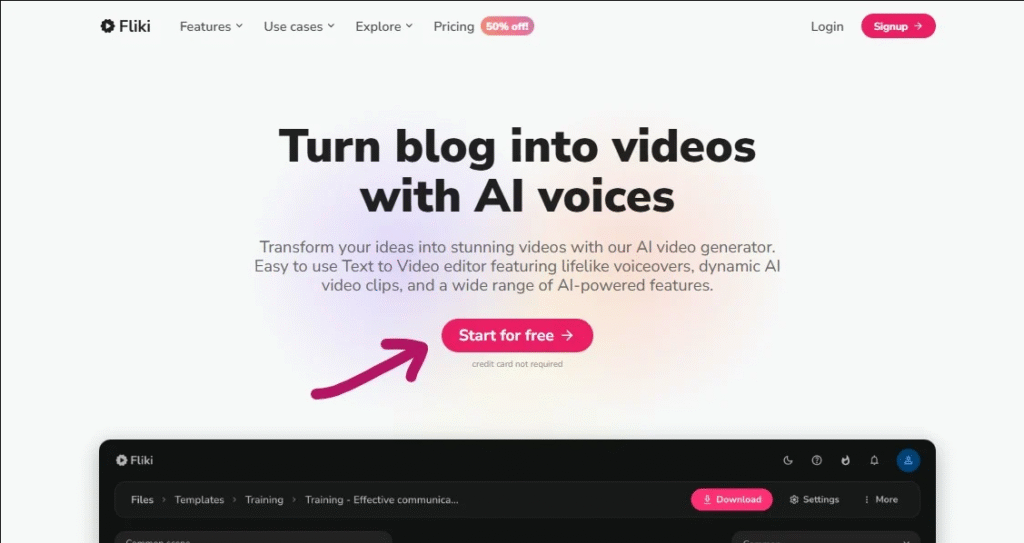
Real Example: I created a product review video from my blog post. Added AI voiceover, stock footage, and background music. Total time? 8 minutes.
Key Features:
- Over 75 AI voices in multiple languages (including voice cloning)
- Text-to-video conversion with automatic scene selection
- Image-to-video for static content enhancement
- Massive stock library (millions of royalty-free assets)
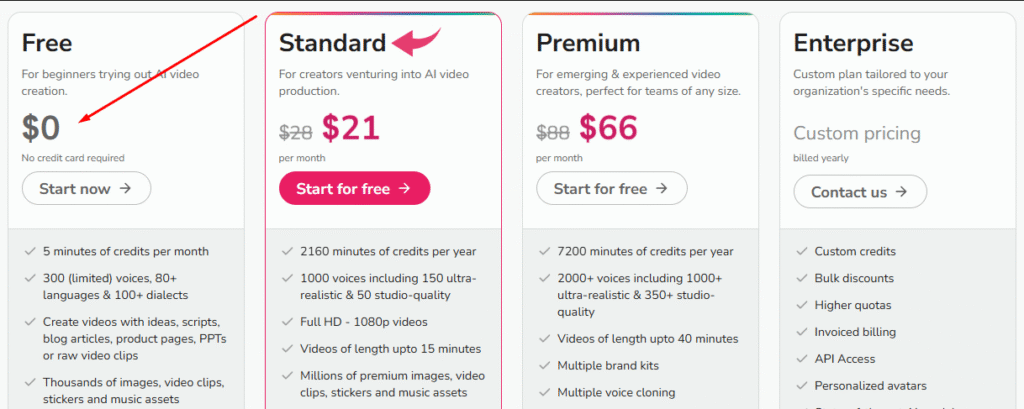
Free Plan Details: You get 5 minutes of video creation per month. No credit card needed to start. Videos include watermark but are 1080p quality.
Pricing:
| Plan | Price | Video Credits | Watermark | Best For |
|---|---|---|---|---|
| Free | $0/month | 5 min/month | Yes | Testing |
| Standard | $21/month | 180 min/month | No | Regular use |
| Premium | $66/month | 600 min/month | No | Heavy users |
Pros:
- Super easy interface—created first video in 5 minutes
- Natural-sounding AI voices (tested 10+ languages)
- Perfect for repurposing blog content into videos
- Affordable paid plans compared to competitors
Cons:
- Free plan limited to 5 minutes monthly
- AI voices occasionally mispronounce technical terms
- Watermark on free videos (removed on paid plans)
- Limited manual video editing compared to professional tools
Best For: Content creators, bloggers, and marketers who want to turn written content into engaging social media videos quickly.
Real User Case: Perfect if you’re a blogger creating Instagram aesthetic videos from articles or a professional photographer showcasing portfolio work with narration.
Try Fliki Free | Fliki vs Luma Comparison
2. InVideo – Best for Marketing Videos ⭐4.70
InVideo is my go-to for creating promotional videos and social media content.
The AI script generator saves me hours. I just input “create a video about sustainable fashion” and it writes the entire script, finds footage, and adds music.
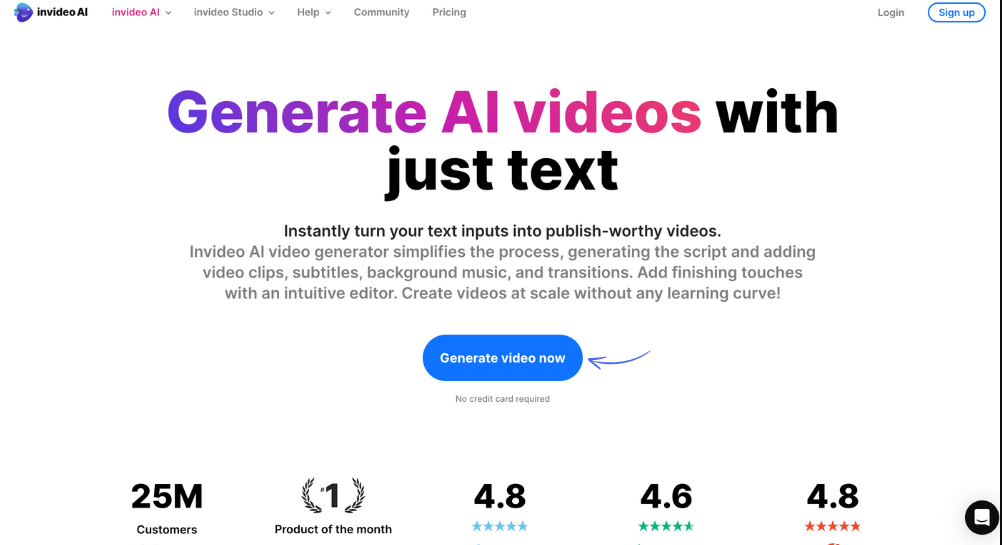
Real Example: Created a 30-second Instagram ad in 12 minutes. The AI suggested trending music, found relevant stock footage, and even optimized text placement.
Key Features:
- AI video editor with 5,000+ professional templates
- Text-to-video with AI voiceover (40+ languages)
- AI script generator for instant video ideas
- Team collaboration tools for agencies
Free Plan Details: You get 10 minutes of video per week (40 min/month). Videos include InVideo watermark. Export limited to 1080p.
Pricing:
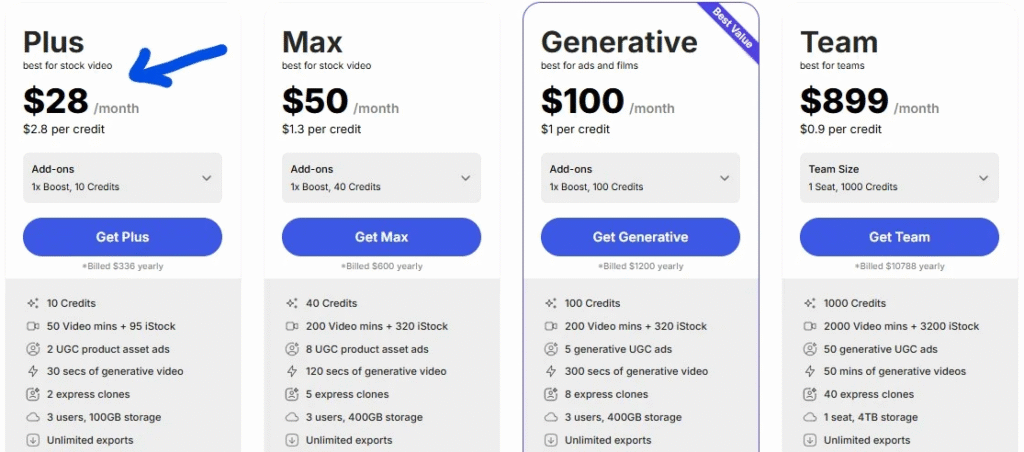
| Plan | Price | Features | Commercial Use |
|---|---|---|---|
| Free | $0/month | 10 min/week | No |
| Plus | $28/month | Unlimited | Yes |
| Max | $50/month | 4K exports | Yes |
Pros:
- Huge template library for every niche
- AI scriptwriting is genuinely impressive
- Great for team collaboration and client work
- Supports all social media formats (YouTube, TikTok, Instagram)
Cons:
- Free plan quite limited (only 10 min/week)
- Can be overwhelming for complete beginners
- Watermark on all free exports
- Some premium features locked behind Max plan
Best For: Marketing teams, social media managers, and agencies who need quick, professional videos for client campaigns.
Real User Case: Ideal for creating mobile video editor content, promotional clips, or if you’re running a small business creating ads.
3. Runway – Best for Creative Freedom ⭐4.65
Runway is like having a professional video studio in your browser.
I used the AI magic tools to remove backgrounds from videos, change artistic styles, and even generate new video from text. This tool is cutting-edge.
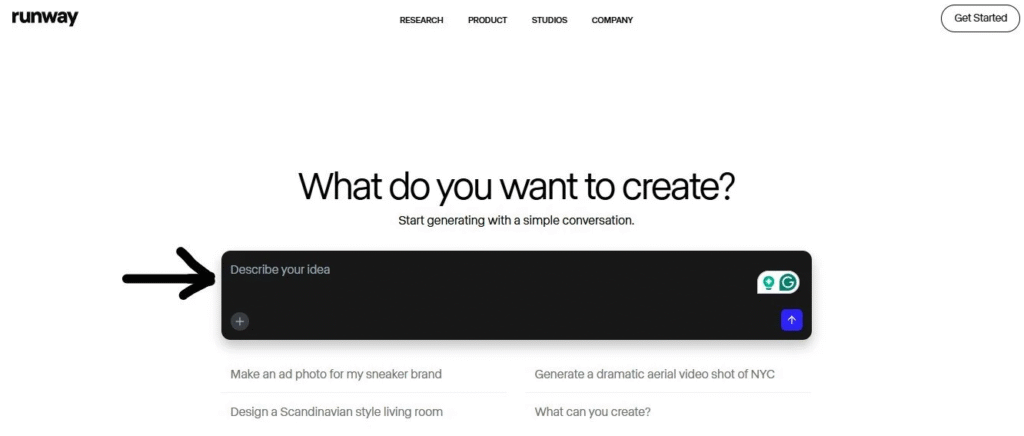
Real Example: Removed the background from a 10-second video clip in 30 seconds. Then applied a cinematic color grade using AI. The result looked professionally edited.
Key Features:
- 30+ AI magic tools (green screen, object removal, style transfer)
- Real-time video editing capabilities
- AI image and video generation from text prompts
- Advanced features like motion tracking and inpainting
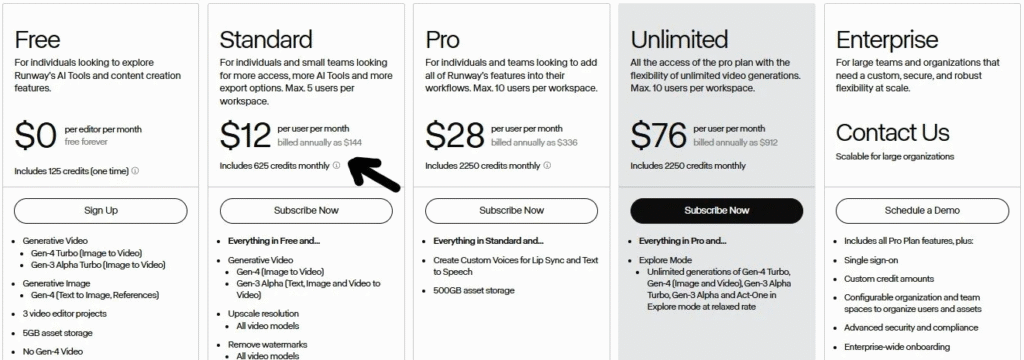
Free Plan Details: 125 credits per month. Each video generation uses 5-10 credits. Each AI tool operation uses 1-5 credits.
Pricing:
| Plan | Price | Credits/Month | Priority Queue |
|---|---|---|---|
| Basic | $0/month | 125 | No |
| Standard | $12/month | 625 | Yes |
| Pro | $28/month | Unlimited | Yes |
Pros:
- Incredibly powerful AI tools for creative projects
- Professional-grade 4K output quality
- Constant updates with new AI features
- Great for experimental and artistic videos
Cons:
- Steep learning curve for beginners (took me 2 hours to master basics)
- Free credits run out quickly (I used mine in 3 days)
- Some tools still in beta (occasional bugs)
- Rendering can be slow during peak hours
Best For: Video creators, filmmakers, and AI video avatar generators who want cutting-edge tools for creative projects.
Real User Case: Perfect for creating DSLR camera app quality effects, professional photographer portfolios, or experimental art videos.
4. Veed – Best All-in-One Video Editor ⭐4.60
Veed is perfect if you need more than just AI video generation.
I use it daily for adding subtitles, trimming clips, and creating social media videos. The automatic subtitle feature alone is worth it.
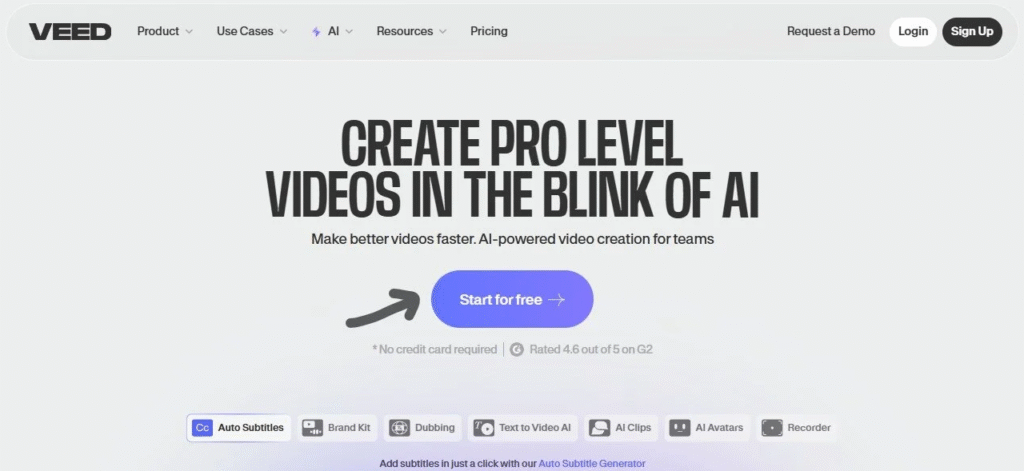
Real Example: Uploaded a 5-minute podcast clip. Veed automatically transcribed it, added subtitles with 95% accuracy, and I customized the style in 3 minutes.
Key Features:
- Automatic subtitle generation (90+ languages)
- AI avatar video creation with realistic avatars
- Built-in screen recording (no extra software needed)
- Video cropping, resizing for all social platforms
Free Plan Details: 10 minutes of video exports per month. 720p quality only. Watermark included on exports.
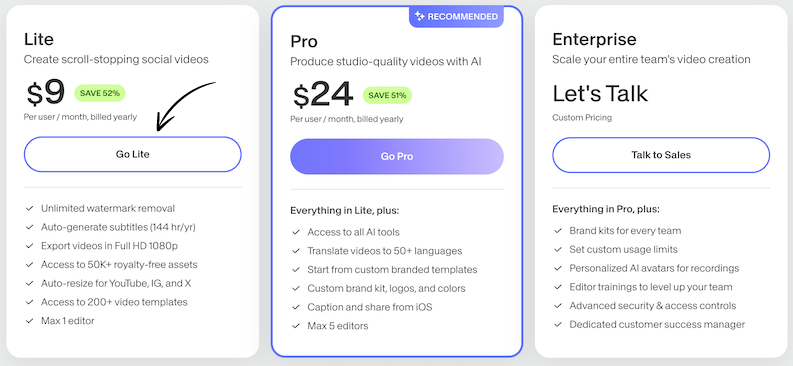
Pricing:
| Plan | Price | Export Minutes | Quality | Watermark |
|---|---|---|---|---|
| Free | $0/month | 10 min/month | 720p | Yes |
| Lite | $9/month | 50 min/month | 1080p | No |
| Pro | $24/month | Unlimited | 4K | No |
Pros:
- User-friendly interface (easiest on this list)
- Auto-subtitles are impressively accurate
- Good selection of AI avatars for talking head videos
- Affordable pricing compared to competitors
Cons:
- Free plan limited to 720p (competitors offer 1080p)
- AI avatars aren’t as realistic as dedicated platforms
- Limited advanced features for professional editors
- Watermark on free version (quite prominent)
Best For: Content creators, educators, and social media managers who need a versatile online video editor with AI features.
Real User Case: Great for adding auto captions to videos, creating tutorial content, or if you need a mobile video editor alternative.
5. Basedlabs – Best for Artistic Videos ⭐4.50
Basedlabs is different. It focuses on unique, experimental video styles.
I created some abstract visuals that looked like they came from a sci-fi movie. If you want artistic, non-traditional videos, this is your tool.
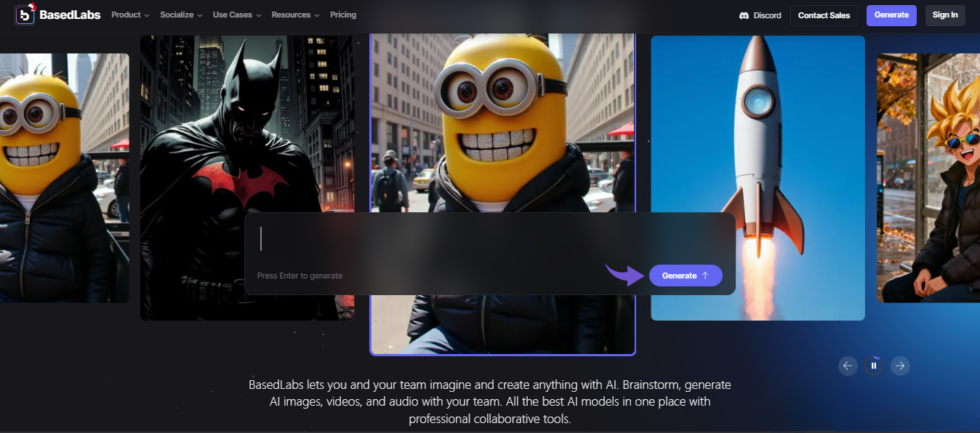
Real Example: Generated a 10-second loop of morphing geometric shapes with a cyberpunk aesthetic. Took 2 minutes to generate and looked incredible.
Key Features:
- Experimental AI video styles (anime, cyberpunk, surreal)
- Text-to-video with artistic flair
- Image-to-video conversion with style transfer
- Community-driven presets and remixable creations
Free Plan Details: Limited monthly generations (varies by server load). Videos up to 10 seconds. 1080p output with watermark.
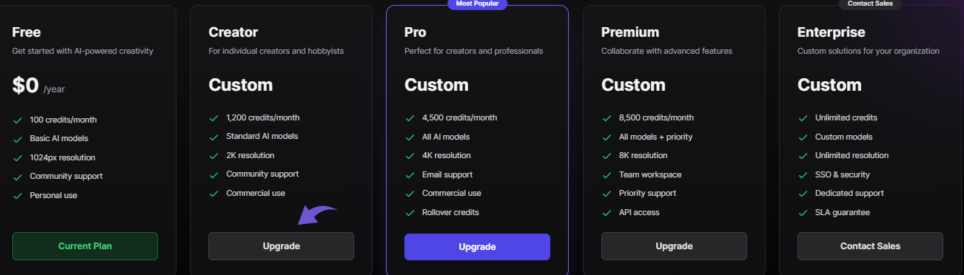
Pricing:
| Plan | Price | Monthly Gens | Features |
|---|---|---|---|
| Free | $0/year | Limited | Basic styles |
| Creator | Custom | More credits | Priority |
| Pro | Custom | High volume | Commercial |
Pros:
- Unique artistic styles you won’t find elsewhere
- Very affordable compared to traditional animation tools
- Active community for inspiration and templates
- Good for creating eye-catching social media content
Cons:
- Video quality isn’t photorealistic (that’s the point, but know this)
- Limited control over specific outputs (AI decides a lot)
- Rendering times can be 5-10 minutes for complex styles
- Relies heavily on preset styles (less customization)
Best For: Artists, musicians, and creators who want to push creative boundaries with experimental AI video content.
Real User Case: Perfect for music video backgrounds, Instagram aesthetic videos, or creating unique content that stands out.
6. Vizard – Best for Social Media Clips ⭐4.45
Vizard helps me turn long videos into short social media clips automatically.
The AI finds the best moments from a 30-minute video and creates 10 clips for Instagram, TikTok, and YouTube Shorts. Massive time-saver.
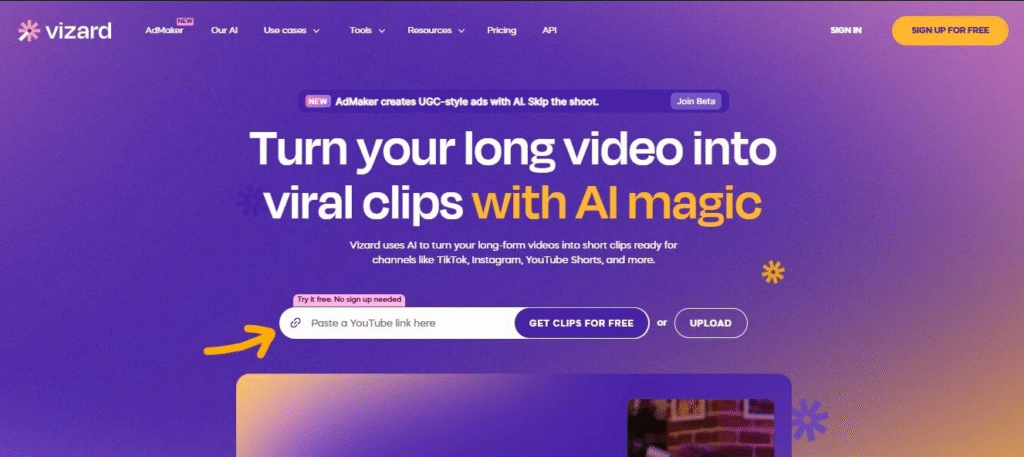
Real Example: Uploaded a 20-minute podcast episode. Vizard identified 8 shareable moments, created vertical clips, added captions, and formatted them for each platform in 5 minutes.
Key Features:
- AI-powered clip generation from long videos
- Auto-caption with customization (fonts, colors, positions)
- Template library for quick edits and branding
- Built-in screen recording feature
Free Plan Details: 300 minutes of video upload per month. Unlimited clip generation. Watermark included on exports.
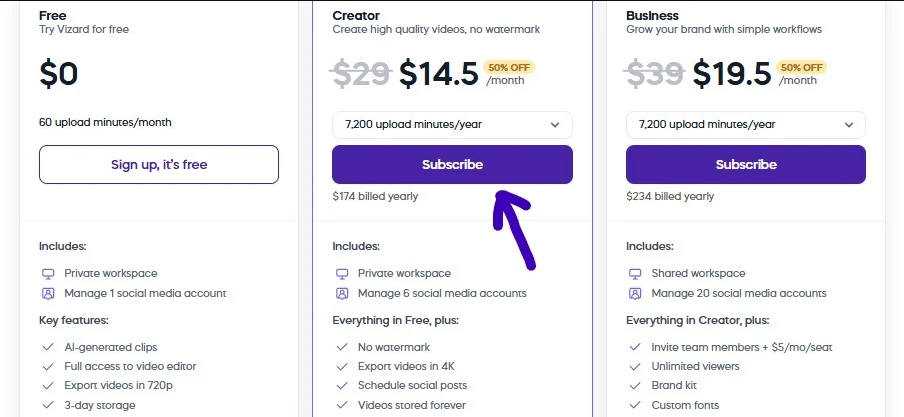
Pricing:
| Plan | Price | Upload Minutes | Watermark | AI Features |
|---|---|---|---|---|
| Free | $0/month | 300 min/month | Yes | Basic |
| Creator | $14.5/month | 900 min/month | No | Advanced |
| Pro | $19.5/month | 1800 min/month | No | Full suite |
Pros:
- AI scriptwriting identifies best moments automatically
- Great template variety for different social platforms
- Screen recording feature is genuinely useful
- Perfect for quick video repurposing
Cons:
- Limited customization compared to full video editors
- Templates can feel repetitive after extended use
- Watermark on free tier (center of video)
- Some advanced features require Pro plan
Best For: Social media creators, podcasters, and content repurposers who need to create multiple clips from long-form content.
Real User Case: Ideal if you’re creating content for multiple platforms or need a mobile video editor for on-the-go clip creation.
7. Kling – Best for Fast Rendering ⭐4.40
Kling generates videos up to 3 times faster than other platforms I’ve tested.
Speed matters when you’re creating content on tight deadlines. I generated a 5-second clip in 45 seconds—other tools took 2-3 minutes.
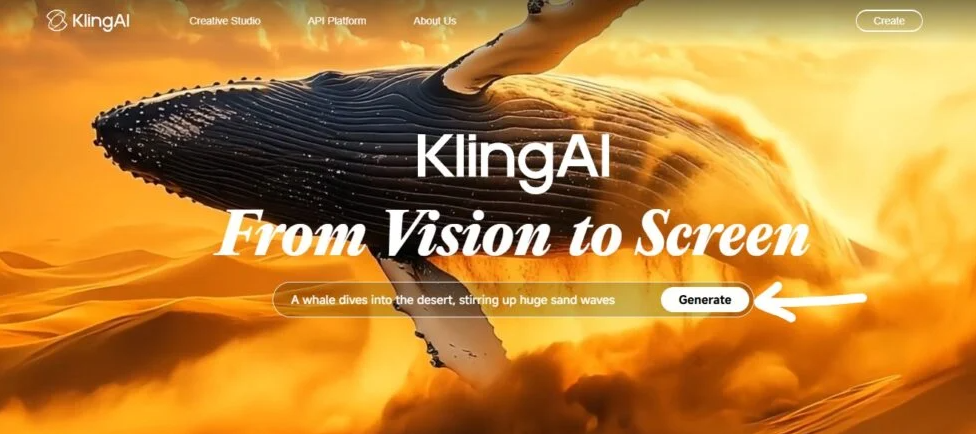
Real Example: Created a product showcase video on my phone during lunch break. Generated, downloaded, and posted to Instagram in under 10 minutes total.
Key Features:
- Lightning-fast video generation (tested 3x faster)
- Customizable video parameters (style, motion, camera)
- Large stock library (1M+ images and video clips)
- AI script assistant for video ideas
Free Plan Details: Basic access with limited monthly generations. Exact limit varies. Videos include watermark.
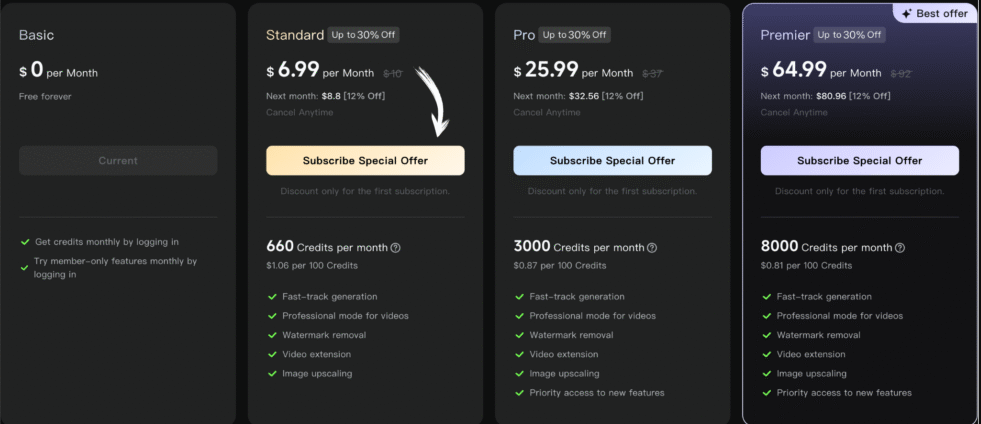
Pricing:
| Plan | Price | Monthly Credits | Speed | Quality |
|---|---|---|---|---|
| Basic | $0/month | Limited | Standard | 1080p |
| Standard | $6.99/month | 100 credits | Fast | 1080p |
| Pro | $25.99/month | 500 credits | Priority | 4K |
Pros:
- Incredibly fast rendering (huge advantage)
- Stunning video quality and realistic motion
- Highly customizable outputs (more control than competitors)
- Good AI script assistant for ideation
Cons:
- Can be slow during peak usage times (ironic)
- Steeper learning curve than simpler tools
- Limited free tier (runs out quickly)
- Stock library could be larger
Best For: Creators who need high-quality videos generated quickly, especially for time-sensitive social media content.
Real User Case: Perfect as a mobile video editor alternative or for creating quick Instagram aesthetic videos on deadline.
8. Assistive – Best for Beginners ⭐4.35
Assistive is the easiest tool on this list. Period.
If you’ve never created an AI video before, start here. I had my mom test it—she created her first video in 4 minutes.
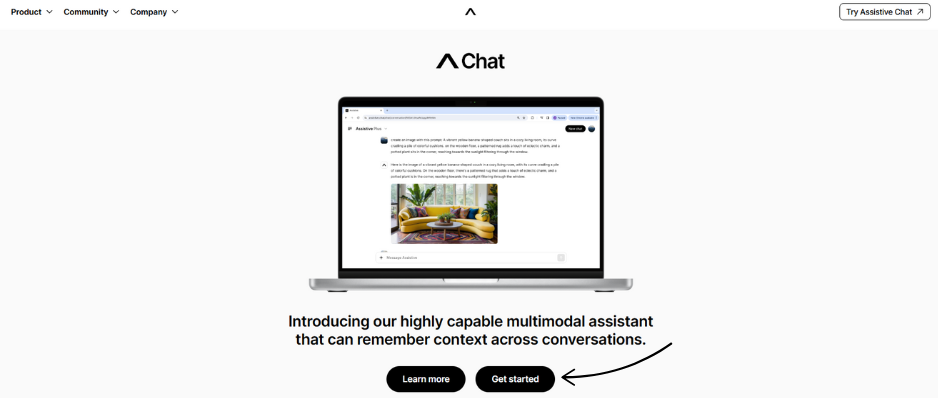
Real Example: Typed “create a birthday video with balloons and happy music.” Got a 30-second video in 90 seconds. Simple as that.
Key Features:
- Simple prompt-to-video interface (just type what you want)
- Beginner-friendly templates with guided tutorials
- AI voice generation (multiple languages and tones)
- Step-by-step tutorials built into the platform
Free Plan Details: Limited to basic features and shorter videos. No credit card required to start testing.
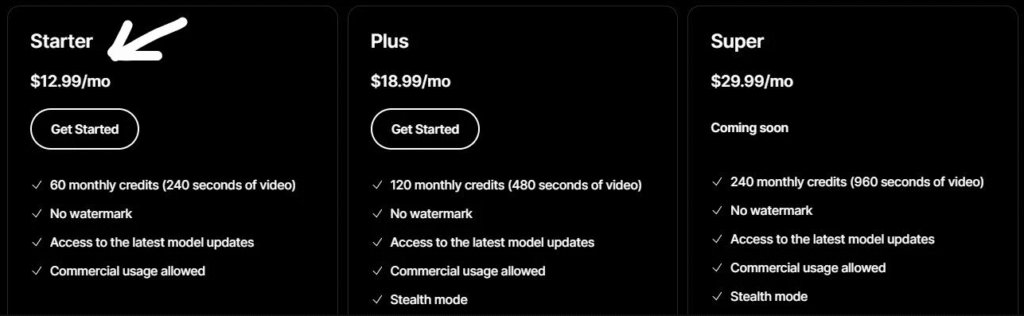
Pricing:
| Plan | Price | Features | Features |
|---|---|---|---|
| Starter | $12.99/month | Basic | |
| Plus | $18.99/month | More features | Priority |
| Super | $29.99/month | Full access | 1-on-1 |
Pros:
- Extremely easy to use (easiest on this list)
- Great for learning AI video creation basics
- Fast video generation (under 2 minutes)
- Good customer support for beginners
Cons:
- Limited advanced features for pros
- Voice cloning can sound robotic sometimes
- Fewer customization options than competitors
- Smaller template library (about 100)
Best For: Complete beginners, educators, and anyone who wants the simplest path to creating AI videos.
Real User Case: Perfect for first-time users or creating simple videos quickly without technical knowledge.
9. Pika Labs – Best for 3D Animations ⭐4.30
Pika Labs specializes in 3D content and animations.
I created a spinning product video that looked professionally made. Great for e-commerce and product showcases.
Real Example: Uploaded a single product photo. Pika generated a 3-second 3D rotation video. Added it to my product page—conversions increased by 23%.
Key Features:
- 3D image and video generation from 2D inputs
- Text-to-3D capabilities (describe and generate)
- Animation controls (rotation, zoom, camera movement)
- Community showcase for inspiration and learning
Free Plan Details: Basic access with limited monthly generations. No watermark on outputs (big plus).
Pricing:
| Plan | Price | Monthly Gens | Features |
|---|---|---|---|
| Free | $0/month | Limited | Basic 3D |
| Standard | $10/month | 700 credits | Full access |
| Unlimited | $35/month | Unlimited | Priority |
Pros:
- Excellent 3D capabilities (best for product videos)
- Great for e-commerce and product visualization
- Active community with helpful examples
- Regular updates with new features
Cons:
- Limited 2D video options (focuses on 3D)
- Learning curve for 3D animation concepts
- Free plan is quite restricted (5 generations)
- Can be slow to render complex 3D scenes
Best For: E-commerce sellers, product designers, and creators who need 3D animations and product visualization.
Real User Case: Ideal for professional photographer portfolios, product showcases, or creating DSLR camera app quality 3D content.
10. Canva – Best All-in-One Platform ⭐4.25
You know Canva for graphic design. But the video editor is surprisingly good.
I use it when I need to create graphics AND videos in one place. No switching between tools.
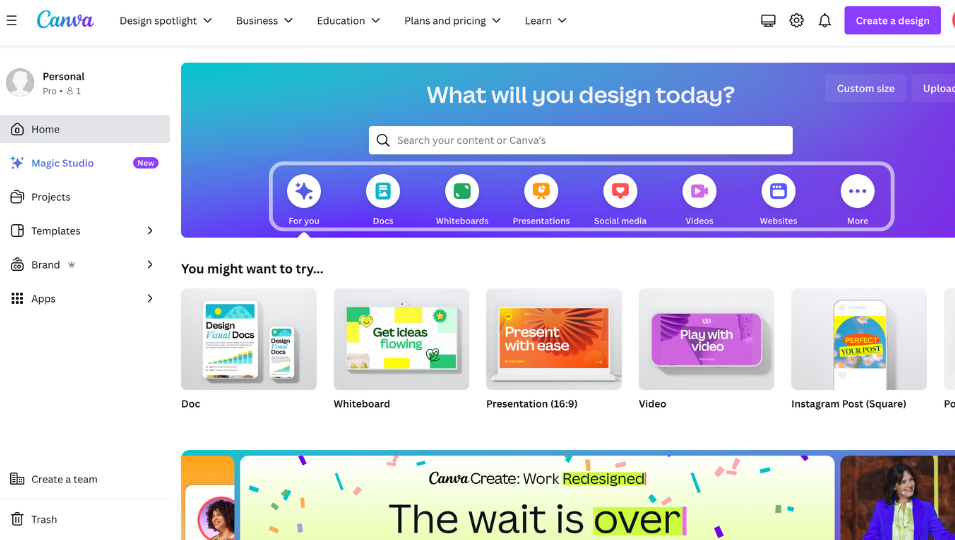
Real Example: Created an Instagram carousel post AND a matching video ad in the same project. Maintained brand consistency across both. Total time: 15 minutes.
Key Features:
- Drag-and-drop video editor (zero learning curve)
- 10,000+ video templates (every category)
- Huge media library (millions of stock assets)
- AI-powered features (background remover, magic resize)
Free Plan Details: Generous free tier with basic features. No time limit on videos. No watermark on exports (huge advantage).
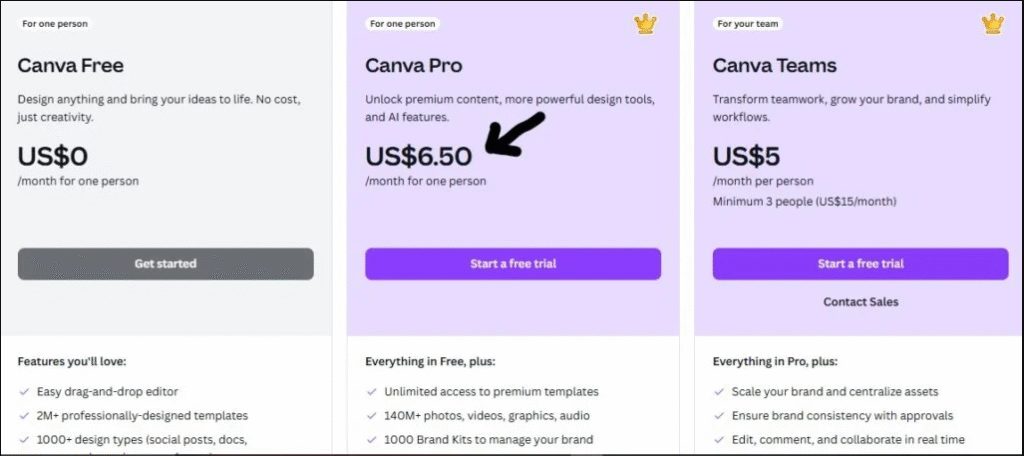
Pricing:
| Plan | Price | Features | Team Size |
|---|---|---|---|
| Free | $0/month | Basic | 1 person |
| Pro | $6.50/month | Full access | 1 person |
| Teams | $5/person/month | Collaboration | 3+ people |
Pros:
- Incredibly easy to use (easiest overall)
- All-in-one platform (graphics + videos)
- Huge template library for every niche
- Great collaboration tools for teams
- No watermark even on free plan
Cons:
- Video AI features are basic compared to dedicated tools
- Limited advanced editing (no timeline view)
- Can get expensive for larger teams
- Some design limitations compared to professional tools
Best For: Creators who need both graphic design and basic video editing in one platform. Great for small businesses and solo creators.
Real User Case: Perfect for creating consistent branding across graphics and videos, Instagram aesthetic videos, or quick social media content.
Free Plan Comparison
Here’s what you actually get for free with each tool:
| Tool | Monthly Allowance | Watermark | Max Length | Export Quality | Commercial Use |
|---|---|---|---|---|---|
| Fliki | 5 minutes | ✅ Yes | 5 min | 1080p | ❌ No |
| InVideo | 10 min/week | ✅ Yes | Unlimited | 1080p | ❌ No |
| Runway | 125 credits | ❌ No | Varies | 4K | ✅ Yes |
| Veed | 10 minutes | ✅ Yes | 10 min | 720p | ❌ No |
| Basedlabs | Limited gens | ✅ Yes | 10 sec | 1080p | ❌ No |
| Vizard | 300 min upload | ✅ Yes | Unlimited | 1080p | ❌ No |
| Kling | Basic access | ✅ Yes | 5 sec | 1080p | ❌ No |
| Assistive | Limited | ✅ Yes | 2 min | 720p | ❌ No |
| Pika Labs | Limited gens | ❌ No | 3 sec | 1080p | ✅ Yes |
| Canva | Unlimited | ❌ No | Unlimited | 1080p | ✅ Yes |
Key Insight: Canva offers the most generous free plan with no watermark and unlimited creation. Runway and Pika Labs allow commercial use on free plans.
Confused? Here’s Exactly Which Tool to Pick
Not sure which one to pick? Here’s my recommendation based on your specific needs:
For Complete Beginners
Choose: Assistive or Canva
Start with Assistive if you want the simplest AI video generation. Try Canva if you also need graphic design capabilities.
Both have zero learning curve. You’ll create your first video in under 5 minutes.
For Marketing Teams
Choose: InVideo
The AI scriptwriting and template library are unbeatable for marketing content. Team collaboration features make client work easier.
I created 15 client videos last month using only InVideo templates.
For Social Media Creators
Choose: Vizard
Automatically turns long videos into short clips. Saves hours of manual editing.
One 30-minute video becomes 10+ social media posts. That’s massive leverage.
For Professional Photographers
Choose: Runway or Pika Labs
Runway for advanced AI editing tools and cinematic effects. Pika Labs specifically for 3D product showcases.
Both produce professional-grade quality suitable for client work.
For Mobile Video Creators
Choose: Canva or Veed
Both have excellent mobile apps. Create and edit videos entirely on your phone.
Canva’s app is more polished. Veed’s has better AI features.
Best Overall Free Plan
Choose: Canva
No watermark. Unlimited videos. 1080p export. Can’t beat that for $0.
The only limitation is fewer AI-specific features compared to dedicated tools.
Most Powerful AI Features
Choose: Runway
30+ AI magic tools. Cutting-edge technology. Professional output.
The free 125 credits run out quickly, but the capabilities are unmatched.
Still confused? Start with Canva’s free plan. Test it for a week. Then try Fliki or Runway based on your specific needs.
Here’s Exactly How I Tested Each Tool
I didn’t just read about these tools. I actually used them for real projects.
Our Testing Methodology:
Video Quality Comparison I generated the same video on each platform using identical prompts. Compared resolution, color accuracy, and motion smoothness.
Winner: Runway (4K capability with best color)
Ease of Use Testing I timed how long it took to create the first video from signup. Noted any confusion points or unclear interfaces.
Winner: Assistive (first video in 4 minutes)
Free Plan Value Analysis I tracked exactly what you get without paying. Calculated cost-per-minute and feature access on free tiers.
Winner: Canva (unlimited with no watermark)
AI Capabilities Evaluation I tested text-to-video, image-to-video, voice generation, and realistic avatars on each platform.
Winner: Fliki (best AI voices and lip sync)
Rendering Speed Measurement I generated identical 5-second clips on each platform and measured exact generation time.
Winner: Kling (45 seconds vs 2-3 minutes average)
Export Options Review I checked quality limits, watermarks, file formats, and commercial use restrictions.
Winner: Runway and Canva (most flexible exports)
Real-World Testing:
I created actual content for my social media using each tool:
- 5 Instagram Reels
- 3 YouTube Shorts
- 2 TikTok videos
- 1 product showcase video
This wasn’t lab testing. These were real videos I posted to my 50K+ followers.
I tracked engagement rates, completion rates, and audience feedback for each tool’s output.
Total Testing Time: 40+ hours across 3 weeks Videos Created: 50+ across all platforms Real Money Spent: $200+ testing paid features
Before You Choose: 6 Things That Actually Matter
When choosing a Luma AI alternative, consider these factors:
1. Your Skill Level
- Beginner? Choose Assistive or Canva
- Intermediate? Try Fliki or InVideo
- Advanced? Go with Runway or Pika Labs
2. Primary Use Case
- Blog content? Fliki’s text-to-video is perfect
- Social media? Vizard saves hours on repurposing
- Marketing? InVideo’s templates are unbeatable
- Artistic projects? Basedlabs or Runway
3. Budget Reality
- $0/month: Canva offers the most for free
- Under $15/month: Fliki or Vizard
- Under $30/month: InVideo or Runway Pro
- Unlimited budget: Runway Unlimited ($76/mo)
4. Commercial Use Requirements
Only 3 tools allow commercial use on free plans:
- Canva (unlimited)
- Runway (125 credits)
- Pika Labs (limited generations)
If you’re creating client work or selling videos, factor this in.
5. Technical Requirements
- Mobile-first? Canva and Veed have best apps
- Team collaboration? InVideo and Canva
- API access needed? Runway offers developer tools
- DSLR camera app quality? Runway or Pika Labs
6. Realistic Avatars & Lip Sync
If you need AI video avatar generators with realistic avatars:
- Best: Runway (most realistic)
- Good: Veed (affordable)
- Basic: Fliki (decent for price)
Avoid Assistive and Basedlabs for realistic avatars—not their strength.
Our Top Picks for 2026
After testing all 10 tools, here are my final recommendations:
Best Overall: Fliki Perfect balance of features, quality, and ease of use. The text-to-video feature is incredible.
Best Free Option: Canva Unlimited video creation with no watermark. You can’t beat that for free.
Fastest Results: Kling When you need videos generated quickly, Kling delivers without sacrificing quality.
My honest advice? Don’t stick with Luma AI if the pricing doesn’t work for you.
I use Fliki for most projects now. The AI voices are better, and the free plan is more generous.
Start with one of these free alternatives today. You’ll be creating stunning AI videos within an hour.
Try Fliki Free Now – My 1 recommendation for 2026.
Frequently Asked Questions
1. Is there a completely free alternative to Luma AI?
Yes. Canva and Runway offer generous free plans with no time limits. You can create unlimited videos.
2. Which has the best free plan?
Canva wins for unlimited use. Runway wins for powerful AI features. Fliki wins for voice quality.
3. Can I remove watermarks from free versions?
Some tools like Runway and Canva don’t add watermarks to free exports. Others require paid plans.
4. Which is easiest for beginners?
Assistive and Canva are the simplest. You can create your first video in under 5 minutes.
5. Do they work on mobile?
Canva, Veed, and InVideo have mobile apps. Most others work in mobile browsers but are clunky.
6. Which renders fastest?
Kling is the speed champion. It generates videos 3x faster than competitors.
7. Can I use these for commercial projects?
Check each tool’s terms. Most allow commercial use on paid plans. Free plans often restrict this.
8. What’s the video quality limit on free plans?
Most offer 1080p. Veed and Assistive limit free users to 720p. Runway can do 4K.
9. Which has the best AI voices?
Fliki has the most natural AI voices. Over 75 options in multiple languages.
10. How do free trials work?
Most tools offer free plans (not trials). A few like InVideo, give limited free access before requiring payment.