
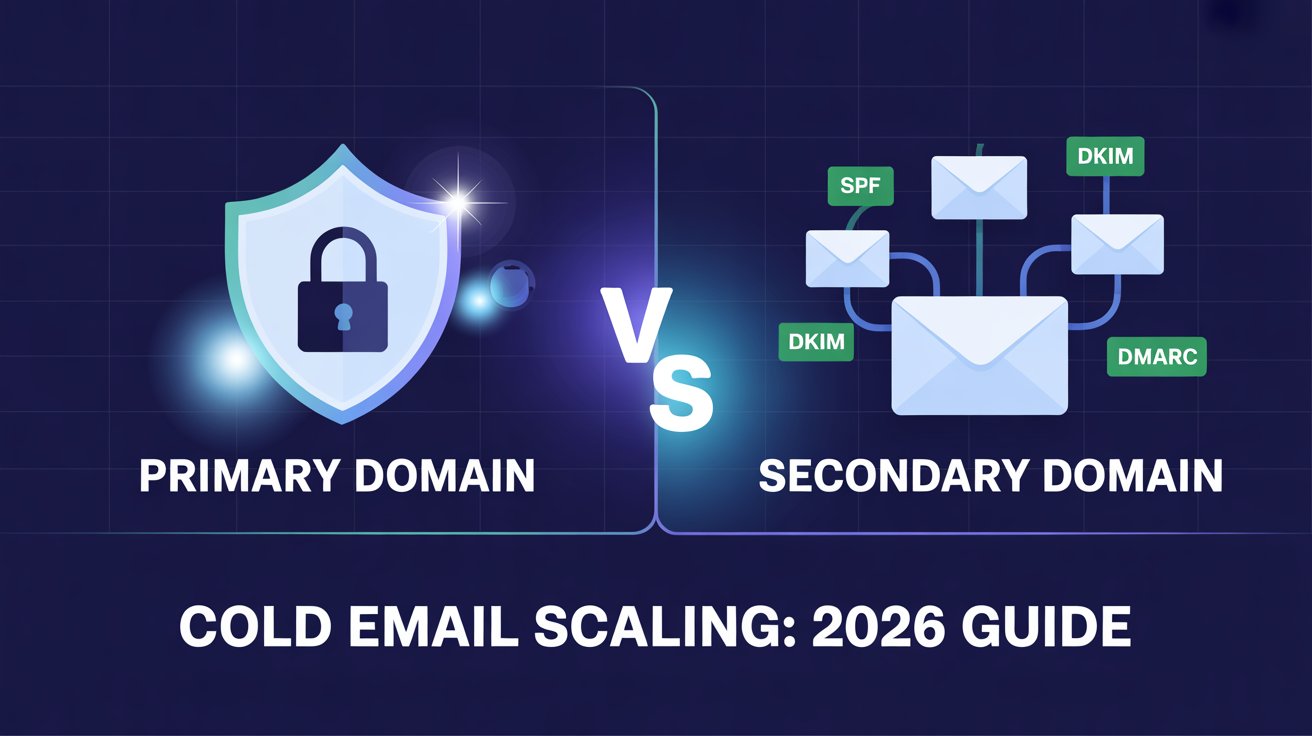

Most businesses make one costly mistake — they send cold emails from their main domain. Before they know it, their emails land in spam, their domain gets blacklisted, and even their client communications stop reaching inboxes. It happens quietly, and by the time you notice, the damage is already done.
The fix is simple: never use your primary domain for cold outreach. Always use secondary domains instead.
In this guide, I’ll walk you through everything you need to know — what primary and secondary domains are, how they compare, how to set up secondary domains the right way, and how to scale cold email without putting your business at risk.
What Is a Primary Domain? (And Why You Should Protect It)
Definition & Role in Brand Identity
Your primary domain is the core of your online identity. It’s the domain your website runs on and where your official emails come from — think yourcompany.com or hello@yourcompany.com.
Every email you send from this domain carries your brand’s reputation with it. When prospects, clients, or partners receive an email from your primary domain, they associate it directly with your business.
That trust takes time to build. And it can be destroyed fast if you’re not careful.
When Primary Domains Work Well
Primary domains are perfect for day-to-day business communication. Use them for client emails, customer support, invoices, onboarding messages, and internal team communication.
These are trusted, expected interactions. Email providers like Gmail and Outlook recognize this pattern and deliver your messages reliably.
When your sending behavior is consistent and your recipients are familiar with you, your primary domain performs well. The problems start when you try to scale cold outreach from it.
Why Primary Domains Fail for Cold Email at Scale
Cold email goes to people who don’t know you yet. Some will ignore it. Some will mark it as spam. That’s just the nature of outreach.
The problem is, those spam complaints directly hurt your primary domain’s reputation. Once enough complaints pile up, email providers start filtering all your emails — not just the cold ones. Your client emails, support replies, and even internal messages start landing in spam.
Getting removed from a blacklist is slow, painful, and sometimes impossible. Meanwhile, your business operations suffer. It’s a risk that simply isn’t worth taking.
What Is a Secondary Domain? (The Smarter Scaling Approach)
How Secondary Domains Work Independently
A secondary domain is a separate domain you register specifically for cold email outreach. It has nothing to do with your main website or brand domain.
For example, if your primary domain is techsolutions.com, your secondary domain might be gettechsolutions.com or techsolutionshq.com. They look professional, but they operate completely independently — with their own DNS settings, sender reputation, and mailboxes.
If a secondary domain takes a hit from spam complaints or gets blacklisted, your primary domain stays completely untouched. You simply replace the secondary domain and keep going.
Key Benefits: Risk Isolation, Volume, Flexibility
Secondary domains give you three major advantages when scaling cold email:
Risk isolation is the biggest one. Any deliverability issues stay contained to the secondary domain. Your main brand reputation is never at risk.
Volume is the second advantage. A single domain can safely send 40–50 emails per day. With 5 secondary domains, that’s 200–250 emails daily. With 20 domains, you’re reaching thousands of prospects every week.
Flexibility is the third. You can test different messaging angles, segment campaigns by industry or audience, and pause or replace domains — all without disrupting your core business email.
Real-World Example: How an Agency Scales with 20+ Domains
I want to give you a clear picture of what this looks like in practice.
Imagine a B2B sales agency running outreach for 10 clients at the same time. Each client needs 50–100 cold emails sent daily. Using primary domains for this would be madness — one complaint could wipe out a client’s entire email system.
Instead, the agency sets up 2–3 secondary domains per client. Each domain has 2–3 mailboxes. They warm up each domain over 15–30 days, then gradually ramp up volume.
The result? The agency is sending 1,000+ cold emails per day across 20+ domains — with zero risk to any client’s primary domain. If one domain gets flagged, they swap it out in minutes. The campaigns never stop.
Secondary Domains vs. Primary Domains — Side-by-Side Comparison
Full Comparison Table
| Factor | Primary Domain | Secondary Domain |
|---|---|---|
| Cost | ~$6–12/user/month | ~$12–32/year + $4–6/mailbox/month |
| Deliverability Risk | High — affects all business email | Low — risk stays isolated |
| Scalability | Limited (40–50 emails/day max) | High (40–50/day per domain, scales infinitely) |
| Setup Time | Immediate | ~15–30 days (warm-up required) |
| Reputation Impact | Critical — tied directly to your brand | Contained — primary domain stays protected |
| Management Complexity | Simple | Moderate (easier with automation tools) |
| Best Use Case | Client comms, support, internal email | Cold outreach, prospecting, campaigns |
Verdict: Which to Use and When
The answer is straightforward. Use your primary domain for everything your business already uses it for — trusted, relationship-based communication.
Use secondary domains for any cold outreach where you’re contacting people who don’t know you yet. No exceptions.
If you’re sending more than 20 cold emails a day, you need secondary domains. If you’re running multiple campaigns at once, you need multiple secondary domains. The sooner you make this switch, the safer and more scalable your outreach becomes.
How to Set Up Secondary Domains for Cold Email (Step-by-Step)
Choosing the Right Domain Name & Extension
The domain name you pick matters more than most people think. A suspicious-looking domain will hurt your deliverability before you even send one email.
Stick to .com whenever possible — it’s the most trusted extension. If .com isn’t available, .net, .io, or country-specific extensions like .co.uk are solid alternatives. Avoid .biz, .online, .info, or anything that looks low-quality — spam filters flag these regularly.
For naming, keep it close to your brand. If your primary domain is launchpad.com, good secondary options include getlaunchpad.com, launchpadmail.com, or trylaunhpad.io. Avoid hyphens, numbers, or anything that looks like it was put together in five minutes.
Configuring SPF, DKIM & DMARC Correctly
Authentication is non-negotiable. Without it, your emails will either bounce or land straight in spam — no matter how good your copy is.
Here’s what you need to set up for every secondary domain:
- SPF (Sender Policy Framework): Tells email providers which servers are allowed to send email on behalf of your domain.
- DKIM (DomainKeys Identified Mail): Adds a digital signature to your emails so providers know they haven’t been tampered with.
- DMARC (Domain-based Message Authentication): Tells providers what to do if an email fails SPF or DKIM checks. Start with a policy of p=none to monitor, then tighten it over time.
Most email sending platforms (Google Workspace, Microsoft 365, or dedicated cold email tools) walk you through this setup. Don’t skip it — it’s the foundation of your deliverability.
Domain Warming: A 30-Day Action Plan
A brand-new domain has zero reputation. If you start blasting 100 emails on day one, spam filters will catch it immediately. You need to warm up the domain gradually.
To speed up and automate this process, many teams use dedicated email warmup tools that simulate real conversations and build sender reputation safely.
Here’s a simple 30-day warm-up plan I recommend:
| Week | Daily Emails Per Mailbox |
|---|---|
| Week 1 | 5–10 emails/day |
| Week 2 | 15–20 emails/day |
| Week 3 | 25–30 emails/day |
| Week 4 | 40–50 emails/day |
During warm-up, focus on sending to real, engaged contacts first. Encourage replies — positive engagement signals build domain reputation fast. Monitor bounce rates and spam complaints closely throughout. If anything spikes, slow down immediately.
After 30 days of consistent, healthy sending behavior, your domain is ready to handle full campaign volume.
How Many Domains Do You Need? (Formula Included)
Here’s the formula I use to figure out exactly how many secondary domains to set up:
Domains Needed = Target Daily Email Volume ÷ 40
So if you want to send 500 emails per day: 500 ÷ 40 = 13 secondary domains (with 2 mailboxes each)
If you want to send 1,000 emails per day: 1,000 ÷ 40 = 25 secondary domains
I always recommend adding 20% extra domains as a buffer. If one domain gets flagged or needs a rest, your campaigns don’t stop. Having backup domains ready means zero downtime in your outreach.
Best Practices to Scale Cold Email with Secondary Domains in 2026
How Many Mailboxes Per Domain (2–3 Rule)
Never overload a single domain with too many mailboxes. The sweet spot is 2–3 mailboxes per secondary domain — no more.
Each mailbox should send a maximum of 40–50 emails per day. That means one domain with 2 mailboxes gives you 80–100 daily sends safely. Push beyond that, and you start triggering spam filters.
Keep it simple: more domains, fewer mailboxes per domain. This setup protects each domain’s reputation and keeps your deliverability consistently strong.
Sending Limits & Rotation Strategy
Even after warm-up, don’t max out your sending limits every single day. I recommend staying at 70–80% of your daily limit as a standard practice. This gives you headroom and keeps sending patterns looking natural.
Rotate your domains regularly across campaigns. Don’t burn one domain by running every campaign through it while others sit idle. Spread the load evenly. Advanced platforms like Smartlead make it easier to rotate inboxes and domains automatically. You can check their pricing and features in this Smartlead pricing guide.
Also, stagger your send times. Sending 200 emails at 9:00 AM sharp from one domain looks like automation to spam filters. Spread sends across the day — morning, midday, and afternoon — to mimic natural human behavior.
Monitoring Domain Health (Tools + Checklist)
You can’t fix what you don’t measure. Check your domain health at least once a week, especially during the first 60 days of a new domain.
Tools I recommend:
- Google Postmaster Tools — tracks spam rate, domain reputation, and delivery errors for Gmail
- Microsoft SNDS — monitors your sending reputation with Outlook
- MXToolbox — checks blacklists and DNS authentication records
- Mail-tester.com — gives you a quick spam score before launching campaigns
Weekly domain health checklist:
- Spam complaint rate below 0.1%
- Bounce rate below 3%
- SPF, DKIM, DMARC all passing
- No blacklist flags on MXToolbox
- Open rates stable (a sudden drop signals a deliverability problem)
If anything looks off, pause that domain immediately and investigate before sending another email.
Automating Domain Management for Agencies & Large Teams
Managing 10 domains manually is doable. Managing 50+ is a full-time job — unless you automate it.
Automation tools handle DNS configuration, warm-up sequences, mailbox rotation, and performance tracking across all your domains from one dashboard. Instead of logging into each domain separately, you manage everything in one place.
For agencies running campaigns for multiple clients, automation is not optional — it’s essential. Tools like Mailforge, Instantly, or Smartlead let you spin up new domains, configure authentication, and manage campaigns at scale. Here’s a breakdown of the best cold email software used for scaling outreach.
The time you save goes directly into improving your campaigns, writing better copy, and closing more deals.
Common Mistakes to Avoid When Using Secondary Domains
Even with the right setup, small mistakes can silently destroy your deliverability. Here are the four most common ones I see — and how to avoid them.
Skipping warm-up is the number one mistake. I know it feels slow, but jumping straight to high-volume sending on a fresh domain is a guaranteed way to get flagged. Spam filters watch new domains closely. Give every new domain at least 15–30 days of gradual warm-up before scaling.
Using spammy TLDs hurts you before you send a single email. Extensions like .biz, .online, .click, and .info are historically linked to spam. Email providers already distrust them. Stick to .com, .net, or .io — your deliverability will thank you.
Neglecting DNS authentication means your emails fail basic trust checks. No SPF, DKIM, or DMARC means providers have no reason to trust your domain. Set up all three records correctly before sending anything. This is non-negotiable in 2026.
Overloading a single domain is a slow-burning mistake. Pushing one domain to its limits every day while ignoring your others burns out that domain’s reputation fast. Spread your volume evenly across all your secondary domains and always keep backup domains ready to rotate in.
Conclusion
The choice between primary and secondary domains isn’t a debate — it’s a decision you need to make before your next cold email campaign goes out.
Your primary domain is your business identity. Protect it. Never use it for cold outreach. Secondary domains exist precisely for this purpose — they give you the freedom to scale without putting your core reputation on the line.
Set them up correctly, warm them up properly, authenticate every record, and spread your volume across multiple domains. Follow that process, and you’ll scale cold email safely, consistently, and profitably in 2026.
To maximize results, combine proper domain setup with the right email follow-up software to increase replies and conversions.
Ready to get started? Set up your first secondary domain today — before your primary domain pays the price.
FAQs
How many secondary domains do I need to send 1,000 emails/day?
You need approximately 25 secondary domains (with 2 mailboxes each sending 40 emails/day). Always add a few extra as backups in case one needs to be rested or replaced.
Can I use secondary domains for LinkedIn outreach too?
Secondary domains are built for email outreach. LinkedIn has its own platform rules and doesn’t use domain-based sending. However, you can use secondary domain email addresses when connecting LinkedIn outreach with email sequences in multichannel campaigns.
What happens if a secondary domain gets blacklisted?
Stop sending from it immediately. Switch your campaigns to a backup domain and start the recovery process — or simply retire the flagged domain and register a fresh one. That’s the exact reason you never use your primary domain for cold outreach.
How long does domain warming take?
A proper warm-up takes 15–30 days. Start with 5–10 emails per day in week one and gradually increase volume each week. Don’t rush it — a properly warmed domain will outperform a rushed one every single time.